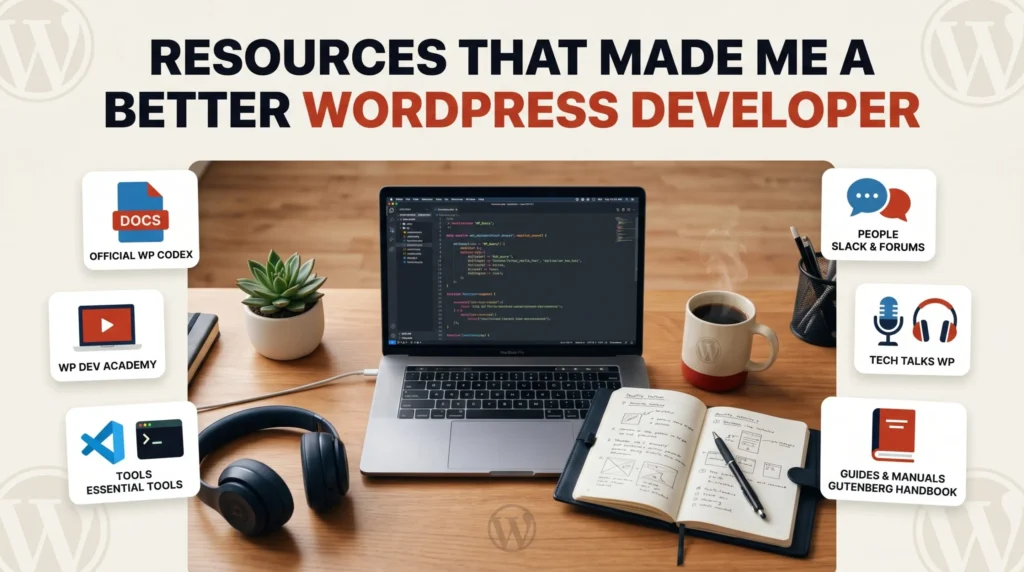
Nobody becomes a good WordPress developer by reading a single tutorial and calling it done. The WordPress ecosystem moves fast — new APIs, updated block architecture, evolving security standards, shifting best practices. Staying sharp as a WordPress developer in 2026 means learning continuously, from the right sources, in a way that fits around real client work.
I have been building WordPress sites professionally for over four years — custom themes, plugins, WooCommerce stores, Moodle platforms, and everything in between. Over that time, I have burned hours on resources that were outdated, vague, or just not useful for someone doing this commercially. And I have found a handful of resources that genuinely moved the needle.
This is that list. Not every WordPress resource on the internet — just the specific ones that actually made me a better developer. Organised by category, with a clear explanation of what each one is useful for and who it is best suited to.
1. Official Documentation — The Foundation You Keep Returning To
WordPress Developer Resources (developer.wordpress.org)
Free | developer.wordpress.org
This is the single most important bookmark in a WordPress developer’s browser. Official WordPress developer resources include a code reference, handbooks for APIs, plugin and theme development, the block editor, and more. The WordPress Developer Handbook covers the Plugin API, Theme API, REST API, Block Editor, and Security in exhaustive detail — all maintained by the core WordPress team and updated with every major release.
Most developers visit this reactively — searching for a specific function signature or hook name when they need it. The real value comes from reading it proactively. Spending two hours working through the Plugin Handbook from the beginning taught me more about correct WordPress architecture than months of building from tutorials alone. The sections on data sanitization, nonce verification, and the Settings API are particularly worth reading in full rather than skimming.
- Best for: Looking up function parameters, understanding hook behaviour, reading the correct approach to any core WordPress pattern
- Use it when: You are about to implement something you have not done before — check here first before reaching for a tutorial
- Tip: The Code Reference at
developer.wordpress.org/referenceis searchable by function, class, hook, and method — bookmark it separately from the Handbook
WordPress Developer Blog (developer.wordpress.org/news)
Free | Updated monthly
The official WordPress Developer Blog publishes monthly “What’s new for developers” posts that cover every meaningful change coming in the next WordPress release. Recent posts cover the WordPress 7.0 block editor changes, the Client-Side Abilities API, the new Connectors architecture, building custom sync providers for real-time collaboration, and the new @wordpress/build tool that replaces webpack and Babel with esbuild. Reading this monthly post keeps you ahead of breaking changes before they affect your client sites.
- Best for: Staying current with WordPress core changes that affect theme and plugin development
- Frequency: One comprehensive post per month — takes about 20 minutes to read thoroughly
ACF Documentation (advancedcustomfields.com/resources)
Free
If you use ACF on client projects — and you should — the official ACF documentation is one of the most developer-friendly pieces of documentation in the WordPress ecosystem. Every field type, function, hook, and JavaScript API is clearly documented with real code examples. The ACF Blocks V3 documentation added in late 2025 covers the new iframed block architecture, the expanded editing panel, and the upcoming inline editing feature in clear, practical terms. I have had this open in a tab on almost every WordPress project I have worked on.
- Best for: ACF field configuration, custom block development, ACF JSON sync, and the Repeater and Flexible Content APIs
- Don’t miss: The ACF developer resources section — particularly the filter and action hook reference
2. Learning Platforms — Structured Skill Building
Learn WordPress (learn.wordpress.org)
Free | Official WordPress training platform
The official WordPress Training team builds Learn WordPress as a resource for beginners and advanced users. It presents materials through articles, recorded workshops, quizzes, and online courses with video presentations. You can select whether you want to learn how to use WordPress or how to become a WordPress developer. For developers, the block development pathway covering block theme architecture, the Interactivity API, and Full Site Editing is consistently updated to reflect the current WordPress release — which is rare for free learning content.
- Best for: Structured learning on specific WordPress developer topics with content that stays current
- Recommended pathway: WordPress Developer → Block Development — covers theme.json, block patterns, and FSE in a logical sequence
- Bonus: Live online workshops run every week — worth attending for Q&A with core contributors
Udemy — WordPress Development Courses
Paid (frequently on sale for $10–$15)
Udemy gets a bad reputation for quality inconsistency — and that criticism is fair. But the best WordPress development courses on the platform are genuinely excellent and represent some of the best value in technical education. The key is knowing which instructors to look for. Look for courses by instructors with high ratings across many reviews, recently updated content (check the “last updated” date), and practical project-based teaching rather than slide-heavy theory. For WordPress specifically, courses covering custom plugin development, WooCommerce extension development, and REST API integration have been the most valuable for my commercial work.
- Best for: Deep dives into specific technical topics — plugin development, REST API, WooCommerce — that are hard to learn from documentation alone
- Tip: Never pay full price. Udemy sales happen constantly — wait for the $10–$15 price before purchasing
- Filter by: Last updated within 12 months, 4.4 stars or higher, 1000+ reviews minimum
freeCodeCamp WordPress Courses
Free | YouTube
freeCodeCamp has over 900 free courses in its catalog. For developers with a foundation in web development — specifically HTML and CSS — the Build a Website from Start to Finish using WordPress course provides a structured foundation. The WordPress theme development course is particularly strong for developers coming from a general web development background who want to understand WordPress theme architecture from the ground up before moving to block themes. All content is free on YouTube.
- Best for: Developers with existing web development skills who want a structured WordPress-specific foundation
- Find it at: youtube.com/c/freecodecamp — search “WordPress development”
3. Tools That Teach While You Use Them
Query Monitor
Free | WordPress.org plugin
Query Monitor is on this list not just as a debugging tool but as a learning tool. When you activate Query Monitor on a development site and start clicking through pages, you see exactly what WordPress is doing on every request — which hooks fired, in what order, which functions attached to them, how many database queries ran, how long each took, and which plugin or theme code triggered them. Every hour I have spent in Query Monitor has taught me something about how WordPress actually works under the hood that no tutorial covered. Understanding the hook system by watching it in real time is genuinely irreplaceable.
- Best for: Understanding the WordPress hook execution order, debugging slow queries, identifying which plugins are responsible for performance problems
- How to use it as a learning tool: On a clean WordPress install, activate Query Monitor and load the home page. Open the Hooks & Actions panel and read through every hook that fired. Then activate a plugin and compare. The difference tells you exactly what that plugin is doing.
Local by Flywheel
Free | localwp.com
You cannot learn WordPress development properly without a local development environment, and Local is the best one available in 2026 for most developers. The ability to spin up a new WordPress install in under a minute, with configurable PHP versions, built-in SSL, WP-CLI integrated, and a Live Link feature for sharing with clients — all without touching server configuration — removes every barrier between having an idea and being able to test it. Most of my experimentation with new WordPress features, plugin structures, and block theme architectures happens in a Local environment before anything reaches a client site.
- Best for: All local WordPress development — theme work, plugin development, client site staging
- Pair it with: VS Code + PHP Intelephense + WordPress Snippets extensions for a complete development environment
WP-CLI
Free | wp-cli.org
Learning WP-CLI changed how I work with WordPress permanently. The ability to update plugins, export databases, run search-and-replace operations on serialised data, flush caches, create users, and execute custom scripts from the terminal — without touching the WordPress dashboard — is not just a convenience. It teaches you things about WordPress internals that clicking through the admin never would. Reading the WP-CLI documentation is genuinely educational, not just instrumental.
- Start with:
wp helpin your terminal — the built-in command reference is comprehensive and always up to date - Key commands to learn first:
wp db export,wp search-replace,wp plugin update --all,wp cache flush
4. Newsletters — Staying Current Without Doomscrolling
Post Status (poststatus.com)
Free + paid membership
Post Status is the most authoritative independent news source covering the WordPress ecosystem in 2026. It covers plugin and theme ecosystem news, core WordPress development decisions, business news from major WordPress companies, and community developments — with a depth and quality of analysis that far exceeds general tech news sites. The free newsletter is genuinely valuable. The paid membership adds access to the Post Status Slack community, which is one of the most useful professional WordPress developer communities available anywhere.
- Best for: Understanding the broader WordPress ecosystem — where things are heading, which companies are doing interesting work, what debates are happening in the community
- Frequency: Multiple times per week — consistently worth reading
WP Tavern (wptavern.com)
Free
WP Tavern covers WordPress news with a community focus — plugin releases, core development discussions, WordCamp coverage, and developer-facing changes to the WordPress ecosystem. It is less business-focused than Post Status and more developer-and-community focused. Reading WP Tavern regularly keeps you aware of things happening in the WordPress world that would otherwise only come to your attention after they have already affected your client sites.
- Best for: Day-to-day WordPress news, plugin ecosystem changes, core development updates
WordPress Developer Monthly Digest (developer.wordpress.org/news)
Free | Official
Already covered in the documentation section, but worth highlighting again as a newsletter habit. Bookmark the RSS feed or subscribe to email updates from the official developer blog. The monthly developer digest is the single most reliable way to stay current with changes that directly affect your code — and it comes from the people actually building WordPress core.
5. Communities — Learning From Other Developers
WordPress Stack Exchange (wordpress.stackexchange.com)
Free
WordPress Stack Exchange is where I have learned more from other developers’ questions than from almost any other single resource. The discipline of reading a well-formed question, thinking through the answer before reading the accepted response, and then comparing your reasoning to the top-voted answers is a genuinely effective way to build deeper understanding of WordPress architecture. Beyond searching for specific answers, reading the highest-voted questions tagged with your area of focus — hooks, WP_Query, custom post types, the REST API — reveals patterns of problems and solutions you will encounter repeatedly in client work.
- Best for: Specific technical problems, understanding correct approaches to common WordPress patterns
- Learning strategy: Subscribe to RSS feeds for your most-used tags — answer questions when you can. Teaching something cements it faster than reading about it.
WordPress Slack (make.wordpress.org/chat)
Free
The official WordPress Slack workspace has dozens of channels covering every area of WordPress development — core development, theme review, plugin development, accessibility, performance, and more. The #core-editor channel in particular is where the block editor development conversation happens in real time. Reading the discussions in these channels gives you direct insight into why WordPress works the way it does and where it is heading — context you simply cannot get from documentation or tutorials.
- Best channels to start with:
#core-editor,#themereview,#pluginreview,#core-performance - Best for: Real-time insight into WordPress development direction, connecting with other developers, getting answers from core contributors directly
GitHub — WordPress Core and Gutenberg Repositories
Free
Reading the WordPress core and Gutenberg GitHub repositories — not just the commit history, but the issues and pull request discussions — is one of the most underused learning resources available to WordPress developers. When you encounter an unexpected behaviour in WordPress and cannot find the answer in the documentation, searching the GitHub issues often reveals the exact discussion that led to that behaviour, who raised the concern, what alternatives were considered, and why the current implementation was chosen. That context makes you a significantly better developer because you understand the reasoning behind the system you are working with, not just its surface behaviour.
- Find it at: github.com/WordPress/WordPress and github.com/WordPress/gutenberg
- Best for: Understanding why WordPress works the way it does, finding workarounds for known bugs, following upcoming changes before they hit stable
6. Podcasts — Learning on the Move
WP Tavern Jukebox
Free | All podcast platforms
The WP Tavern Jukebox is a podcast for the WordPress community that interviews people pushing change in how WordPress evolves — covering plugins, blocks, themes, community, events, accessibility, and diversity. For developers who want to understand the human side of the WordPress ecosystem — the people building core, maintaining major plugins, and shaping where the platform is going — this is the best audio resource available. I listen during commutes and while doing repetitive development tasks.
- Best for: WordPress ecosystem context, understanding core contributor perspectives, staying connected to the community
Press This — The WordPress Community Podcast
Free | WMR.FM
Press This features exclusive content and interviews with leaders in the WordPress community — covering everything from development to integrating digital marketing strategy with WordPress, hosted by David Vogelpohl of WP Engine. The episodes covering headless WordPress, performance architecture, and the future of the block editor are particularly worth listening to for developers who want to understand where the platform is heading commercially and technically.
- Best for: Strategic WordPress perspective — how businesses and agencies are using WordPress at scale
7. The Resource That Has Helped Most: Building Things
Every resource on this list is valuable. None of them replace the learning that comes from building something real, hitting a problem you have never seen before, and working through it until you understand it properly.
The WordPress developer I became was shaped by the documentation I read — but it was built by the client projects I delivered. The custom plugin that had to handle payment webhook verification. The block theme that needed to work with a complex ACF data structure. The WooCommerce integration that required custom order status logic. The Elementor widget that needed to pull data from a third-party API. None of those problems were fully answered by any resource on this list. They required combining knowledge from multiple sources, reading WordPress source code directly, and building until it worked.
Use the resources above to build a strong foundation and stay current. But the fastest path to becoming a better WordPress developer is to take on projects that stretch your current capability — and then use these resources to fill the gaps that appear.
Quick Reference: The Full Resource List
- Documentation: developer.wordpress.org, developer.wordpress.org/news, advancedcustomfields.com/resources
- Learning: learn.wordpress.org, Udemy (filtered carefully), freeCodeCamp on YouTube
- Tools: Query Monitor, Local by Flywheel, WP-CLI
- Newsletters: Post Status, WP Tavern, WordPress Developer Blog
- Communities: WordPress Stack Exchange, WordPress Slack, GitHub WordPress repositories
- Podcasts: WP Tavern Jukebox, Press This
At ArshadWebStudio, everything we build for clients reflects years of learning from these resources — and years of applying that learning in real production environments. If you need a WordPress developer who stays current, builds clean, and solves problems properly, get in touch today.
About the Author
Arshad Shah is a freelance WordPress and Shopify developer at arshadwebstudio.com with over four years of experience building custom themes, plugins, WooCommerce stores, and Moodle LMS platforms for clients across Canada, Mauritius, Singapore, and beyond. He writes about WordPress and Shopify development to help other developers and business owners build better sites.
Comments
No comments yet. Be the first to share your thoughts!
Leave a Comment