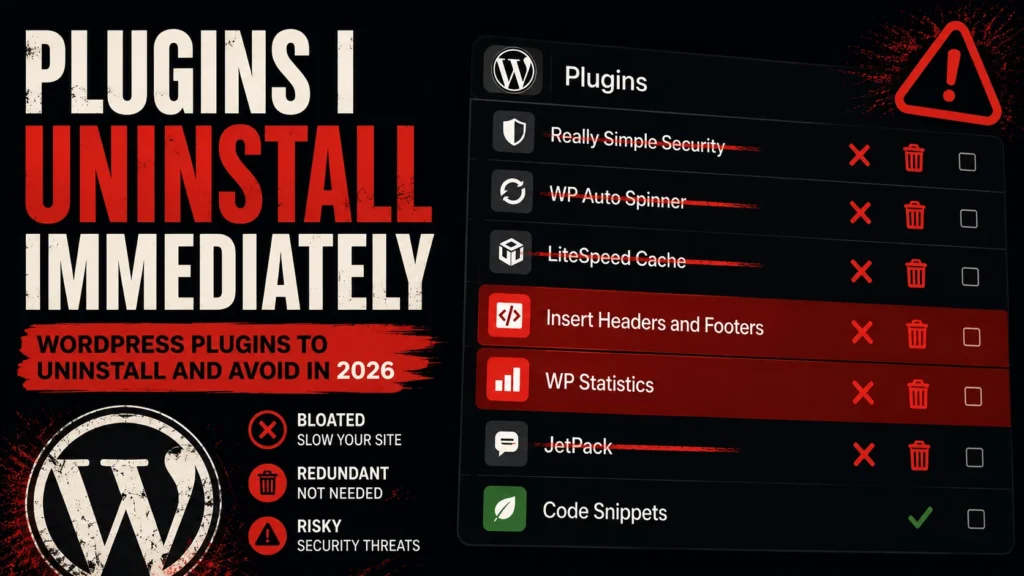
When I take over a WordPress site from a previous developer or do an audit for a new client, I open the plugin list before I look at anything else. What I find there tells me almost everything I need to know about how the site was built, how it has been maintained, and what problems I am about to spend the next few hours untangling.
In 2026, the WordPress plugin vulnerability landscape is genuinely alarming. More than 250 new plugin vulnerabilities are disclosed every single week — and over half of plugin developers who are notified of a security issue do not patch it before it becomes public. CVE disclosures hit a record high in 2026, driven largely by vulnerabilities in third-party WordPress plugins. The average WordPress site I audit has between 25 and 40 installed plugins. Most of them have no business being there.
This post covers the categories of plugins I remove from every new site I work on — the types that add bloat without value, create security risks, conflict with better alternatives, or simply do something WordPress core already does natively in 2026. For each one I explain why it goes, and what I use instead.
Why Deactivating Is Not Enough — Delete or Don’t Bother
Before the list, one important point that most site owners do not know: deactivating a plugin is not the same as removing the risk. A deactivated plugin still leaves its files on your server. Automated bots scanning for known vulnerabilities do not check whether a plugin is active before exploiting it — they check whether the files are present. If a known vulnerability exists in a plugin you deactivated six months ago and never deleted, your site is still exposed.
Deactivated plugins also leave behind database tables, wp_options entries, and autoloaded data that bloats your database and slows down every page request. Many site owners believe their plugin list looks clean because everything is deactivated — it is not clean. It is just invisible.
The rule is simple: if you are not actively using a plugin, delete it completely. Not deactivate. Delete.
1. Hello Dolly
What it is: A sample plugin that ships pre-installed with every WordPress installation. It adds a random lyric from the song “Hello, Dolly!” to the top-right corner of your admin dashboard.
Why it goes: It serves no functional purpose whatsoever on a production site. It adds code that runs on every admin page load. On every new WordPress install I touch, this is the first thing deleted — not deactivated, deleted — within the first thirty seconds.
Replace with: Nothing. It has no replacement because it does nothing useful.
2. Akismet Anti-Spam (When Unused)
What it is: A comment spam filtering plugin that also ships pre-installed with WordPress. It sends comment data to Automattic’s external Akismet servers for spam analysis.
Why it goes: Akismet is actually a solid plugin — but only if you have comments enabled and need spam filtering. On the majority of business and portfolio sites I build, comments are either disabled entirely or managed through a form plugin. In those cases, Akismet is an active external data dependency on a feature the site does not use. It also requires an API key configuration that many site owners leave incomplete, which means the plugin is installed, running hooks on every page, and doing nothing useful.
Replace with: If you genuinely need comment spam protection, keep Akismet with a properly configured API key. If comments are disabled on your site, delete Akismet and disable comments entirely under Settings → Discussion.
3. Duplicate Page or Post (Any Generic Version)
What it is: Plugins that add a “Duplicate” option to post and page lists in the WordPress admin. There are dozens of them — Duplicate Page, Duplicate Post, Yoast Duplicate Post, Copy Anything to Clipboard, and many more.
Why it goes: In 2026, the Gutenberg block editor has significantly improved native copy-paste of block patterns and page templates, and most caching and page builder setups include duplication functionality natively. Many of these plugins are also abandoned — maintained by single developers who stopped updating them years ago. An abandoned plugin sitting on a site doing one minor admin convenience task is not worth the security exposure.
Replace with: The Yoast Duplicate Post plugin is the best maintained option if you genuinely need this functionality — it is actively developed and has a large install base. But honestly evaluate whether you need it at all before installing any version.
4. Coming Soon and Maintenance Mode Plugins
What it is: Plugins that put the site into a “coming soon” or maintenance mode state with a branded page — SeedProd, WP Maintenance Mode, Under Construction, and similar.
Why it goes: These plugins are installed during development or a site relaunch and almost never uninstalled properly after the site goes live. I have found maintenance mode plugins still technically active on sites that have been live for two years — not blocking visitors because a setting was misconfigured, but loading their scripts and hooks on every page regardless. They also frequently leave behind database options and cached pages that interfere with the live site’s caching setup.
Replace with: For genuine maintenance windows, use your hosting provider’s built-in maintenance mode or a simple password-protected page. WordPress also handles native maintenance mode automatically during core updates — you do not need a plugin for that.
5. Multiple SEO Plugins Running Simultaneously
What it is: This is less a specific plugin and more a situation I find on almost every inherited site — both Yoast SEO and Rank Math installed and active at the same time, or either of them running alongside All in One SEO. Sometimes all three.
Why it goes: Two active SEO plugins generate duplicate meta tags — two title tags, two meta description tags, two canonical URL declarations — on every page. This is not a minor inconvenience. Duplicate canonical tags can directly confuse search engines about which version of a page to index. Duplicate meta descriptions may result in neither being used. The combined database footprint of two full SEO plugins is also significant — both store per-post SEO data in wp_postmeta, doubling the storage and query load for that data.
Replace with: Pick one SEO plugin and delete the other completely. I use Rank Math as my default in 2026 — better free tier than Yoast, built-in schema markup, and a cleaner interface. But the most important thing is picking one and committing to it, not which one you choose.
6. Outdated Page Builders With No Active Use
What it is: Inactive or partially active page builder plugins — WPBakery, Divi Builder, Beaver Builder, or even an old version of Elementor — left installed after a theme change or redesign.
Why it goes: Old page builders are one of the largest sources of plugin vulnerability in the WordPress ecosystem. They have complex codebases, large attack surfaces, and — particularly for older versions like WPBakery — a history of significant security issues. A page builder that was used for a previous version of the site and left installed “just in case” is an unnecessary risk with zero benefit. Additionally, deactivated page builders often leave shortcode markup in post content — raw [vc_row] or [et_pb_section] strings — that is never cleaned up, cluttering the database and rendering as visible text if the plugin is ever fully removed.
Replace with: If the site uses Elementor actively, keep the current maintained version and delete everything else. If the site has moved to a block theme and Elementor is no longer needed, migrate any remaining Elementor content to blocks before deleting the plugin — not after.
7. Multiple Caching Plugins
What it is: Two or more caching plugins running at the same time — WP Rocket and W3 Total Cache installed simultaneously, or WP Super Cache left active alongside a host’s built-in caching layer.
Why it goes: Multiple caching plugins do not stack their benefits — they conflict. Two caching plugins fighting over who gets to serve a cached version of the same page produce unpredictable results: stale cache that never invalidates correctly, pages that show different content to different visitors, or a site that appears fast in testing but serves broken pages to real users. This is one of the most common causes of bizarre, hard-to-reproduce bugs on WordPress sites I audit.
Replace with: WP Rocket as your single caching solution, and disable any built-in caching your host provides if WP Rocket is active — or use the host’s caching exclusively and remove all plugin-level caching. Never both.
8. Broken Link Checker (Running Permanently)
What it is: A plugin that continuously scans your site’s content for broken links — Broken Link Checker by WPMU DEV is the most installed version.
Why it goes: This is a plugin that should be run as a one-time audit tool, not left running permanently. In continuous mode, Broken Link Checker runs background processes that fire constant HTTP requests from your server to every external URL on your site — checking whether they respond. On a content-heavy site, this is a significant and continuous drain on server resources. It also adds cron jobs that run whether you remember they are there or not, and it stores its link database in wp_options , which grows without bound on sites with a lot of links.
Replace with: Run a broken link audit manually every few months using an external tool like Screaming Frog or Ahrefs Site Audit, then delete the plugin. The external tool does the same job without consuming your server’s resources to do it.
9. Social Sharing Plugins That Load Heavy Scripts
What it is: Social sharing button plugins that load external JavaScript from Facebook, Twitter, Pinterest, and LinkedIn on every page — AddToAny, Social Warfare, ShareThis, and similar.
Why it goes: Social sharing plugins that load scripts from external social platforms add third-party JavaScript to every page load — JavaScript that is outside your control, frequently blocks rendering, and adds DNS lookup overhead for each platform. The performance cost is real and measurable in PageSpeed Insights. Many of these plugins also collect visitor data and pass it to their own servers, which creates GDPR and privacy compliance complications that most site owners are not aware of.
Replace with: Static HTML sharing links — no JavaScript required. A link to https://twitter.com/intent/tweet?url=YOUR_URL opens a Twitter share dialog without loading a single external script. Every major social platform has an equivalent static share URL. For most sites, static sharing links perform identically to plugin-based buttons from the user’s perspective — and have zero performance cost.
10. Generic Contact Form Plugins With No Customisation
What it is: A basic contact form plugin — Contact Form 7, WPForms Lite, Ninja Forms — installed, configured with a default form, and never touched again.
Why it goes: Contact Form 7 in particular has had a long history of security vulnerabilities, and its unconfigured default installation loads scripts on every page of the site regardless of whether the page contains a form. This is the plugin equivalent of leaving your front door open because you might have a guest someday. If a contact form is genuinely needed, it should be configured correctly — spam protection enabled, notifications tested, and scripts loading only on pages that contain the actual form.
Replace with: Gravity Forms for any site that needs a serious, production- grade contact or lead form — conditional logic, payment integration, and REST API support included. WPForms for simpler requirements. For basic contact needs on a lean site, a properly configured static HTML form submitting to a service like Formspree adds zero plugin overhead.
11. Pixel and Analytics Plugins (When Code Can Do It)
What it is: Dedicated plugins for inserting tracking codes — PixelYourSite, Insert Headers and Footers, Google Analytics for WordPress (by MonsterInsights), and similar.
Why it goes: Most tracking scripts — Google Analytics (GA4), Facebook Pixel, Google Tag Manager — can be inserted via a theme’s native header/footer hooks or via Google Tag Manager without any plugin. MonsterInsights in particular is a heavy plugin that wraps a two-line script include in a full plugin with its own admin interface, database tables, and update cycle. Insert Headers and Footers is lighter but still unnecessary if your theme supports wp_head and wp_footer hooks directly, or if you are using a child theme’s functions.php.
Replace with: Add tracking codes directly via Google Tag Manager with a single GTM snippet in your theme — then manage all other tracking (GA4, Meta Pixel, LinkedIn, etc.) from the GTM interface without touching WordPress at all. One plugin equivalent of script insertion, zero ongoing plugin maintenance.
12. Abandoned Plugins — Any Category
What it is: Any plugin not updated in over 12 months, regardless of what it does.
Why it goes: An abandoned plugin is a ticking clock. More than half of plugin developers who are notified of security vulnerabilities do not patch the issue before public disclosure — and abandoned plugins are never patched at all. Once a vulnerability is discovered and disclosed publicly, automated bots begin scanning for sites running that plugin within hours. The specific plugin category does not matter — an abandoned slider plugin and an abandoned contact form plugin are equally dangerous if their file structure is known and their vulnerability is public.
Replace with: Find an actively maintained alternative, or evaluate whether the functionality can be handled with a small custom code snippet in your site-specific plugin — which you maintain and control directly.
How I Audit a Plugin List on Every New Site
My audit process takes about twenty minutes on a typical site and follows the same steps every time:
- Open Plugins → Installed Plugins and switch to the “Inactive” filter first — anything inactive gets deleted unless there is a specific documented reason for keeping it
- Check the last updated date on every active plugin — anything over 12 months without an update gets flagged for replacement
- Run Query Monitor on a staging copy and check which plugins are adding the most database queries per page load — any plugin adding more than five queries for a simple feature is evaluated for a leaner replacement
- Check for duplicates — multiple plugins doing the same job (two SEO plugins, two caching plugins, two form plugins) — pick one and delete the others
- Check Patchstack or WPScan for known vulnerabilities on every active plugin — anything with an unpatched known vulnerability gets updated immediately or replaced if no patch exists
The Rule Behind the List
Every plugin on this list gets removed for one of three reasons: it does something WordPress core already does natively, it creates a security or performance liability that outweighs its value, or it is a duplicate of something a better-maintained plugin already handles.
The goal is never the smallest possible plugin count for its own sake. The goal is a plugin stack where every installed plugin earns its place — where you can name what each one does, why it was chosen over alternatives, and when it was last reviewed. That is a maintainable site. A site where plugins have accumulated over years without review is a liability waiting to become a support ticket.
At ArshadWebStudio, every WordPress site we take over starts with this audit before any new development begins. If you need a WordPress developer who cleans house properly before building on top of it, get in touch today.
About the Author
Arshad Shah is a freelance WordPress and Shopify developer at arshadwebstudio.com, specialising in custom WordPress development, plugin architecture, performance optimisation, and site security hardening. He has audited and rebuilt WordPress sites for clients across the US, Canada, Australia, and the GCC.
Comments
No comments yet. Be the first to share your thoughts!
Leave a Comment