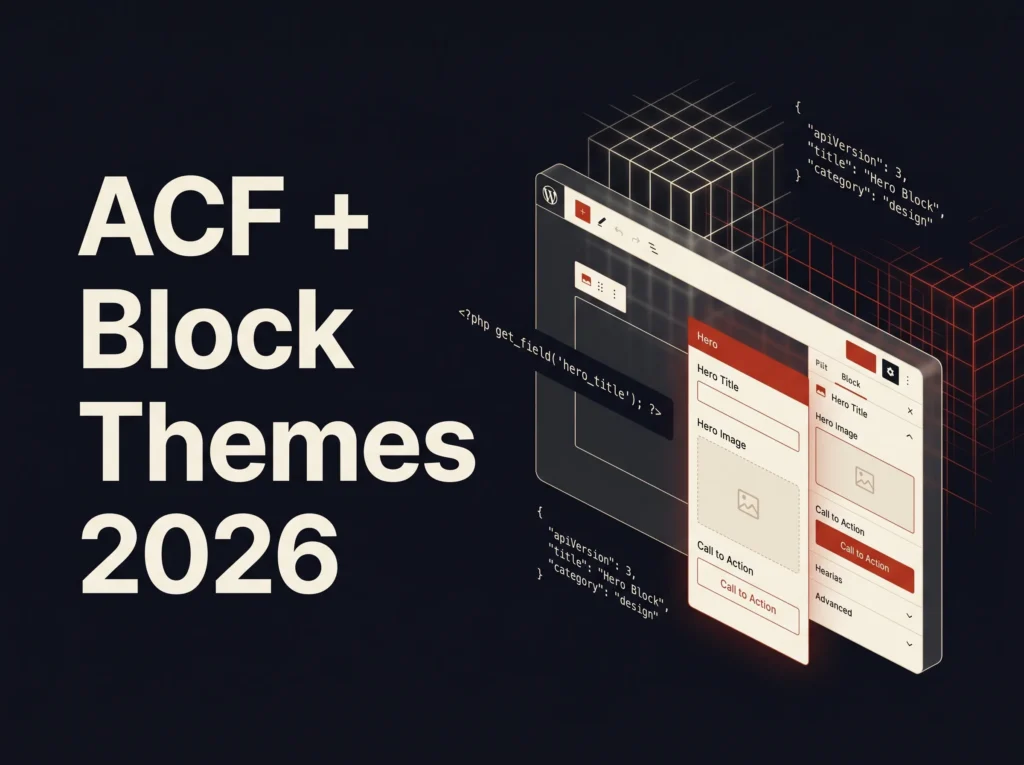
Advanced Custom Fields (ACF) has been the go-to plugin for WordPress developers who need structured, custom data for over a decade. But with WordPress moving firmly into the block theme era — and WordPress 7.0 arriving on April 9, 2026 — many developers are asking the same question: how does ACF work with modern block themes?
The answer has changed significantly. If you have been relying on get_field() calls inside classic PHP theme templates, that approach no longer works in pure block themes — those template files contain HTML block markup, not PHP. A new workflow is required, and in 2026 that workflow is more powerful, more flexible, and more editor-friendly than anything that came before it.
This guide covers everything you need to know about using ACF with WordPress block themes in 2026 — from the three methods for displaying custom fields, to building your first fully custom ACF Block V3 from scratch, to integrating with theme.json. Whether you are a freelance WordPress developer or an agency building client sites, this is the complete reference you need.
Why ACF Needs a Different Approach in Block Themes
In a classic WordPress theme, displaying a custom field was simple. You added your PHP directly to a template file:
<?php
$subtitle = get_field('page_subtitle');

if ( ! empty($subtitle) ) : ?>
    <h2><?php echo esc_html( $subtitle ); ?></h2>
<?php endif; ?>
This works perfectly in classic themes because template files are PHP files that WordPress executes. In a block theme, however, template files are HTML files containing block markup. WordPress renders them through the block system, not through PHP template execution. Dropping a get_field() call into a block theme template simply will not work — the PHP is never executed.
This is not a limitation of ACF. It is a fundamental change in how WordPress renders pages in the block theme architecture. The good news: ACF has developed three robust solutions for displaying custom fields in block themes, each suited to different use cases.
The Three Methods for Displaying ACF Fields in Block Themes
Method 1: Block Bindings (Simple Fields, Native WordPress)
Best for: Simple text, image, and URL fields that map directly to core WordPress blocks
WordPress 6.5 introduced the Block Bindings API — a native way to connect core block attributes to custom field values. ACF integrates with this API, allowing you to bind a core Paragraph block to an ACF text field, or an Image block to an ACF image field, directly inside the block editor — no PHP, no coding required.
Block Bindings work well for simple, one-to-one mappings. However, they have clear limitations: they only work with core blocks, they struggle with complex field types like Repeaters or Flexible Content, and they offer limited control over the rendered HTML markup. For anything beyond basic field output, you will need one of the other methods.
Method 2: ACF Blocks (Full Control, PHP-Based)
Best for: Complex layouts, Repeater fields, Flexible Content, Gallery fields, and any situation where you need full HTML control
ACF Blocks is the most powerful method and the one professional WordPress developers use for client sites. It is a PRO feature of ACF that lets you build fully custom Gutenberg blocks using PHP templates — with no React, no JavaScript build tools, and no complex state management required.
With ACF Blocks you register a custom block using a block.json file, define a field group that attaches to it, and write a PHP template that renders the block’s output. Editors configure the block’s fields in the block editor sidebar and see a live preview — while you stay firmly in PHP territory.
The latest release — ACF Blocks V3 (introduced in ACF 6.6, released November 2025) — is a major evolution that brings compatibility with WordPress’s modern iframed block architecture, an improved editing experience with a slide-out expanded editor panel, and upcoming inline editing support. ACF Blocks V3 is an opt-in feature — existing V2 blocks continue to work exactly as before, so there is no forced migration.
Method 3: Third-Party Field Display Blocks
Best for: Teams or store owners who want visual field selection without writing code
Plugins like Meta Field Block allow editors to select and display ACF fields visually inside the block editor without any code. They work well inside Query Loops for post listing pages and are a good option when the client or content team needs to manage field display themselves. The limitation is that PRO tiers are usually required for Repeater and Gallery support, and HTML markup control is limited compared to ACF Blocks.
Setting Up Your First ACF Block in a Block Theme (Step by Step)
This walkthrough creates a custom Testimonial Block — one of the most common client requests — using ACF Blocks V3 in a WordPress block theme. You will need ACF PRO 6.6 or higher installed and activated.
Step 1: Create the block.json File
Inside your theme, create a blocks/testimonial/ folder. Inside it, create block.json:
{
  "name": "acf/testimonial",
  "title": "Testimonial",
  "description": "Display a client
    testimonial with photo, quote,
    and name.",
  "category": "theme",
  "icon": "format-quote",
  "keywords": ["testimonial",
    "quote", "review"],
  "acf": {
    "mode": "preview",
    "renderTemplate":
      "blocks/testimonial/testimonial.php"
  },
  "supports": {
    "align": false,
    "mode": false
  }
}
The "acf" object is what makes this an ACF Block. The renderTemplate key points to the PHP file that renders the block’s output. Setting "mode": "preview" means editors always see a live preview of the block rather than a raw field form.
Step 2: Register the Block in functions.php
function arshadwebstudio_register_acf_blocks() {
    register_block_type(
        get_template_directory()
        . '/blocks/testimonial/block.json'
    );
}
add_action(
    'init',
    'arshadwebstudio_register_acf_blocks'
);
This registers your block with WordPress using the standard register_block_type() function — the same function used for all WordPress blocks. ACF detects the "acf" key in the block.json and takes over rendering.
Step 3: Create the ACF Field Group
In your WordPress admin, go to Custom Fields → Add New and create a field group called “Testimonial Block” with the following fields:
- quote — Textarea field. Label: “Quote”
- author_name — Text field. Label: “Author Name”
- author_role — Text field. Label: “Role / Company”
- author_photo — Image field. Label: “Author Photo”. Return format: Array
- star_rating — Number field. Label: “Star Rating”. Min: 1, Max: 5
Under Location Rules, set: Block is equal to Testimonial. This attaches the field group exclusively to your ACF Block.
Step 4: Create the PHP Render Template
Create blocks/testimonial/testimonial.php in your theme:
<?php
/**
 * Testimonial Block Template
 * ACF Blocks V3 — Block Theme Compatible
 */

$quote       = get_field( 'quote' );
$author_name = get_field( 'author_name' );
$author_role = get_field( 'author_role' );
$author_photo = get_field( 'author_photo' );
$star_rating  = get_field( 'star_rating' );

// Don't render empty blocks in the editor
if ( ! $quote && ! $author_name ) {
    echo '<p style="padding:20px; opacity:0.5;">
    Fill in the fields to preview your
    testimonial.</p>';
    return;
}
?>

<div class="acf-testimonial-block">

  <?php if ( $star_rating ) : ?>
    <div class="testimonial-stars"
    aria-label="Rating:
    <?php echo esc_attr($star_rating); ?>
    out of 5">
      <?php for ( $i = 1;
      $i <= 5; $i++ ) : ?>
        <span class="star
        <?php echo $i <= $star_rating
        ? 'filled' : 'empty'; ?>">
        ★</span>
      <?php endfor; ?>
    </div>
  <?php endif; ?>

  <?php if ( $quote ) : ?>
    <blockquote class="testimonial-quote">
      <p><?php echo wp_kses_post( $quote );
      ?></p>
    </blockquote>
  <?php endif; ?>

  <div class="testimonial-author">

    <?php if ( $author_photo ) : ?>
      <div class="testimonial-photo">
        <img
          src="<?php echo esc_url(
          $author_photo['url'] ); ?>"
          alt="<?php echo esc_attr(
          $author_photo['alt']
          ?: $author_name ); ?>"
          width="60"
          height="60"
          loading="lazy"
        >
      </div>
    <?php endif; ?>

    <div class="testimonial-meta">
      <?php if ( $author_name ) : ?>
        <strong class="testimonial-name">
          <?php echo esc_html(
          $author_name ); ?>
        </strong>
      <?php endif; ?>
      <?php if ( $author_role ) : ?>
        <span class="testimonial-role">
          <?php echo esc_html(
          $author_role ); ?>
        </span>
      <?php endif; ?>
    </div>

  </div>
</div>
Notice the use of esc_html(), esc_url(), esc_attr(), and wp_kses_post() throughout. Always sanitize and escape ACF field output before rendering it to the page. This is a fundamental WordPress security practice that applies regardless of which theme architecture you use.
Step 5: Add Styles for Your Block
In your block.json, you can enqueue block-specific styles that only load on pages where the block is actually used — keeping your site fast:
{
  "name": "acf/testimonial",
  ...
  "style": "file:./testimonial.css",
  "editorStyle": "file:./testimonial-editor.css"
}
Create testimonial.css in the same folder with your front-end styles. WordPress will only enqueue this stylesheet on pages that contain your Testimonial block — a significant performance improvement over loading all block styles globally.
Integrating ACF with theme.json
One of the most powerful aspects of using ACF with modern block themes is the integration with theme.json — WordPress’s central configuration file for block theme styles, colours, typography, and spacing.
ACF’s Color Picker field can automatically pull the colour palette defined in your theme.json, ensuring that editors can only choose from your approved brand colours rather than any arbitrary hex value. This is configured on the field’s Presentation tab in the ACF field group editor.
Your ACF block styles can also reference theme.json CSS custom properties for consistent spacing and typography:
.acf-testimonial-block {
  padding: var(--wp--custom--spacing--medium);
  background: var(--wp--preset--color--light);
  border-left: 4px solid
    var(--wp--preset--color--primary);
  border-radius: 4px;
}

.testimonial-quote p {
  font-size: var(--wp--preset--font-size--large);
  font-style: italic;
  color: var(--wp--preset--color--body);
}

.testimonial-name {
  color: var(--wp--preset--color--primary);
  font-weight: 600;
}
This approach means your ACF blocks automatically respect whatever colour palette and typography settings your client changes in the WordPress Global Styles panel — without you having to update any block CSS.
ACF Blocks V3: What’s New in 2026
Released in ACF 6.6 (November 2025), ACF Blocks V3 is the most significant update to ACF’s block development framework in years. Here is what has changed and why it matters:
- Iframed block compatibility: V3 blocks are now fully compatible with WordPress’s modern iframed block editor architecture — the same architecture WordPress 7.0 is standardising across all blocks in 2026. This future-proofs your ACF blocks against the upcoming WordPress core changes.
- Expanded editing panel: The old “Edit Mode” has been replaced with a slide-out sidebar and modal panel. The preview area is now always the preview area — editors see their block exactly as it will appear on the front end at all times.
- Inline editing (upcoming): Future V3 releases will support
autoInlineEditing— which automatically enables direct inline editing of text fields right inside the block preview, eliminating the need to open the sidebar for basic text changes. - Automatic JSON-LD schema: The new
autoJsonLdconfiguration option enables automatic Schema.org structured data output from block field values — a significant SEO benefit for blocks like FAQs, Testimonials, Products, and Events. - V3 is opt-in: If you do nothing, your existing V2 blocks will continue to function exactly as they do now. There is no forced migration — but upgrading to V3 is recommended ahead of WordPress 7.0.
Using ACF with the Repeater Field in Block Themes
One of the most common use cases for ACF in client sites is the Repeater field — allowing editors to add unlimited rows of structured content like team members, FAQs, features lists, or pricing tiers. Here is how to loop through a Repeater field inside an ACF Block template:
<?php
/**
 * FAQ Block — ACF Repeater Example
 */
?>

<div class="acf-faq-block">

  <?php if ( get_field( 'faq_heading' ) ) : ?>
    <h2><?php the_field( 'faq_heading' ); ?></h2>
  <?php endif; ?>

  <?php if ( have_rows( 'faq_items' ) ) : ?>
    <div class="faq-list">
      <?php while ( have_rows( 'faq_items' ) ) : the_row(); ?>
        <details class="faq-item">
          <summary class="faq-question">
            <?php the_sub_field( 'question' ); ?>
          </summary>
          <div class="faq-answer">
            <?php the_sub_field( 'answer' ); ?>
          </div>
        </details>
      <?php endwhile; ?>
    </div>
  <?php else : ?>
    <p>Add FAQ items using the block settings panel.</p>
  <?php endif; ?>

</div>
The have_rows() and the_row() loop pattern is ACF’s standard way of iterating through Repeater rows. Inside each row, the_sub_field() outputs the value of individual sub-fields. This works identically in ACF Block templates as it does in classic theme templates — which is one of ACF Blocks’ biggest advantages over other block-building approaches.
ACF Best Practices for Block Theme Development in 2026
- Use ACF JSON sync: Enable ACF’s local JSON feature by creating an
acf-json/folder in your theme. ACF will automatically save field group configurations as JSON files, making them version-controllable in Git and syncable across development environments. - Register field groups in code: For production sites, register field groups programmatically using
acf_add_local_field_group()or ACF JSON. This avoids database dependency and makes deployments cleaner. - Always escape output: Use
esc_html()for plain text,esc_url()for URLs,esc_attr()for HTML attributes, andwp_kses_post()for content that may contain allowed HTML. Never echo raw field values. - Build blocks in your theme, not a plugin (for most projects): For site-specific blocks, building inside the theme keeps everything in one deployable package. Use a plugin only when blocks need to be shared across multiple themes.
- Use conditional asset loading: Point your block’s styles to
file:./block-name.cssinblock.jsonso WordPress only loads them on pages where the block is used. - Start planning V3 migration: WordPress core is expected to mandate iframed blocks with WordPress 7.0 in 2026, making ACF Blocks V3 the required standard going forward. S tart migrating existing V2 blocks now on non-critical projects to build familiarity.
Conclusion: ACF + Block Themes Is the Modern WordPress Developer Stack
Advanced Custom Fields and WordPress block themes are not in conflict — they are complementary. Half of all WordPress developers who use the block editor choose ACF Blocks to build their custom blocks, and that number is growing as the block theme ecosystem matures in 2026.
The combination of ACF PRO’s PHP-based block framework with theme.json design tokens, JSON field group syncing, and the new V3 iframed block architecture gives WordPress developers a genuinely modern, scalable, and maintainable stack — without ever needing to write React or set up a JavaScript build process.
Whether you are building your first ACF block or migrating a legacy client site to a full block theme architecture, the investment in learning this stack pays off on every project that follows.
At ArshadWebStudio, we build custom WordPress block themes with ACF integration for clients who need a powerful, flexible CMS without sacrificing editor usability. If you need a bespoke WordPress block theme, custom ACF Blocks development, or help migrating a classic theme to the block architecture, get in touch today.
About the Author
Arshad Shah is a freelance WordPress and Shopify developer at arshadwebstudio.com, specialising in custom block theme development, ACF Blocks, plugin development, and WordPress performance optimisation. He helps agencies and businesses build fast, flexible, and client-friendly WordPress sites on modern architecture.
Comments
No comments yet. Be the first to share your thoughts!
Leave a Comment